Aurora
by Selectred
AI-powered Playwright test generation and synthetic monitoring for QA managers. Describe what to test in plain English — Aurora probes, plans, generates, runs, and heals specs automatically.
Download
Get Aurora
Current release: v0.2.0 Beta 1. Free tier included — no account required to get started.
Intel Mac build coming soon · View all release notes →
How it works
Five stages, zero boilerplate
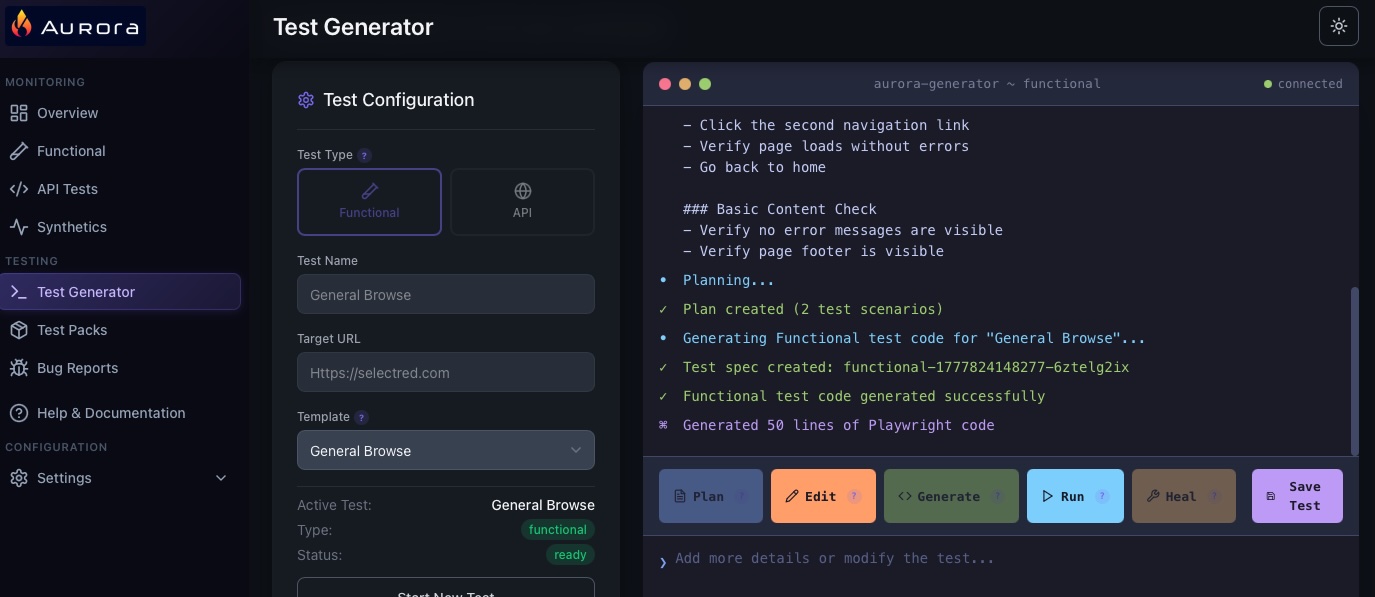
Describe what you want to test. Aurora handles the rest — from live page analysis to a passing Playwright spec.
Aurora opens the target URL and extracts live page structure — elements, labels, roles, and navigation paths.
The AI converts your description and probe data into a numbered list of test scenarios.
Each scenario becomes a fully-formed Playwright spec using best-practice selectors and async/await patterns.
The spec runs immediately against the target URL. Pass/fail results and timing metrics are captured.
On failure, the AI analyses the error output and produces a corrected spec automatically.
Also included
More than test generation
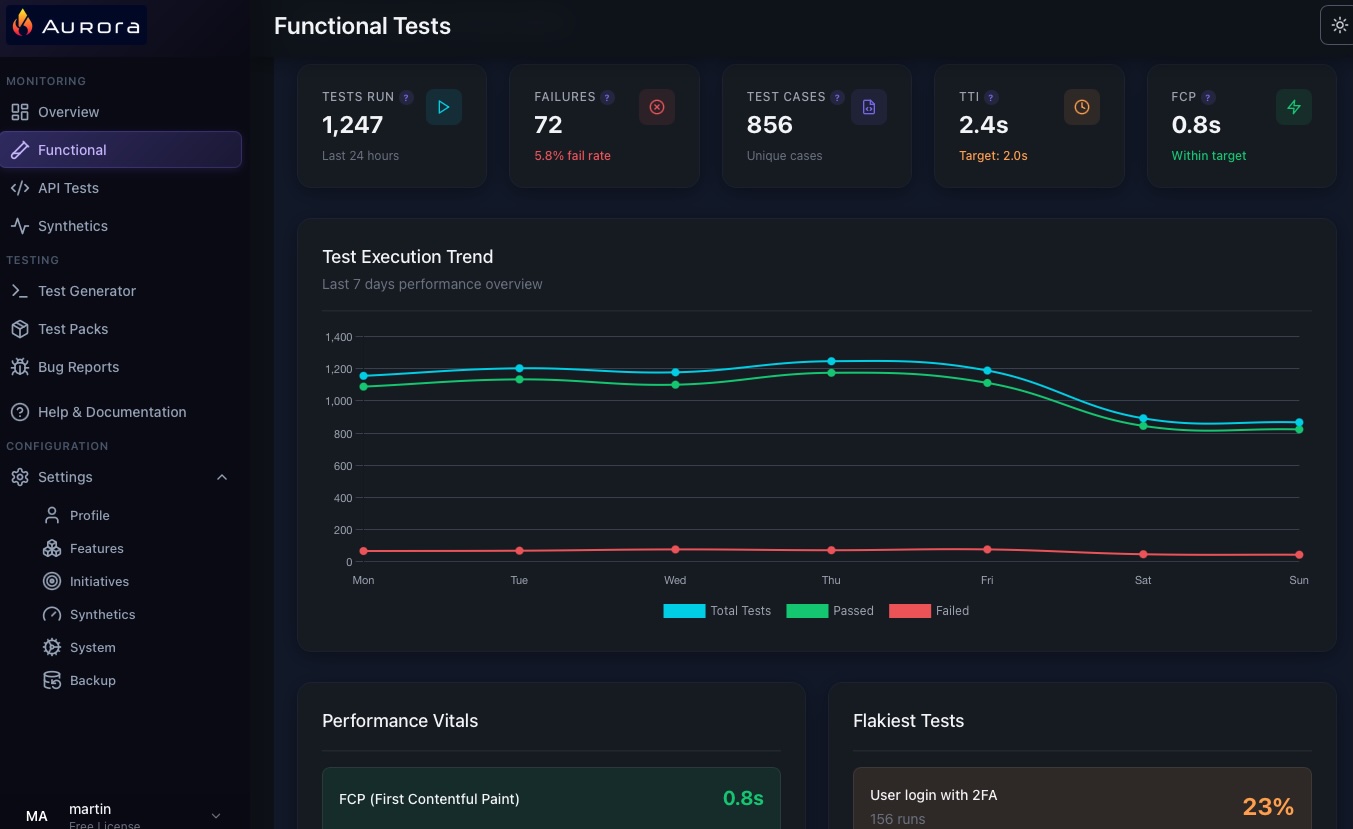
Aurora covers the full QA workflow — monitoring, reporting, and team integration in one app.
In action
See Aurora for yourself
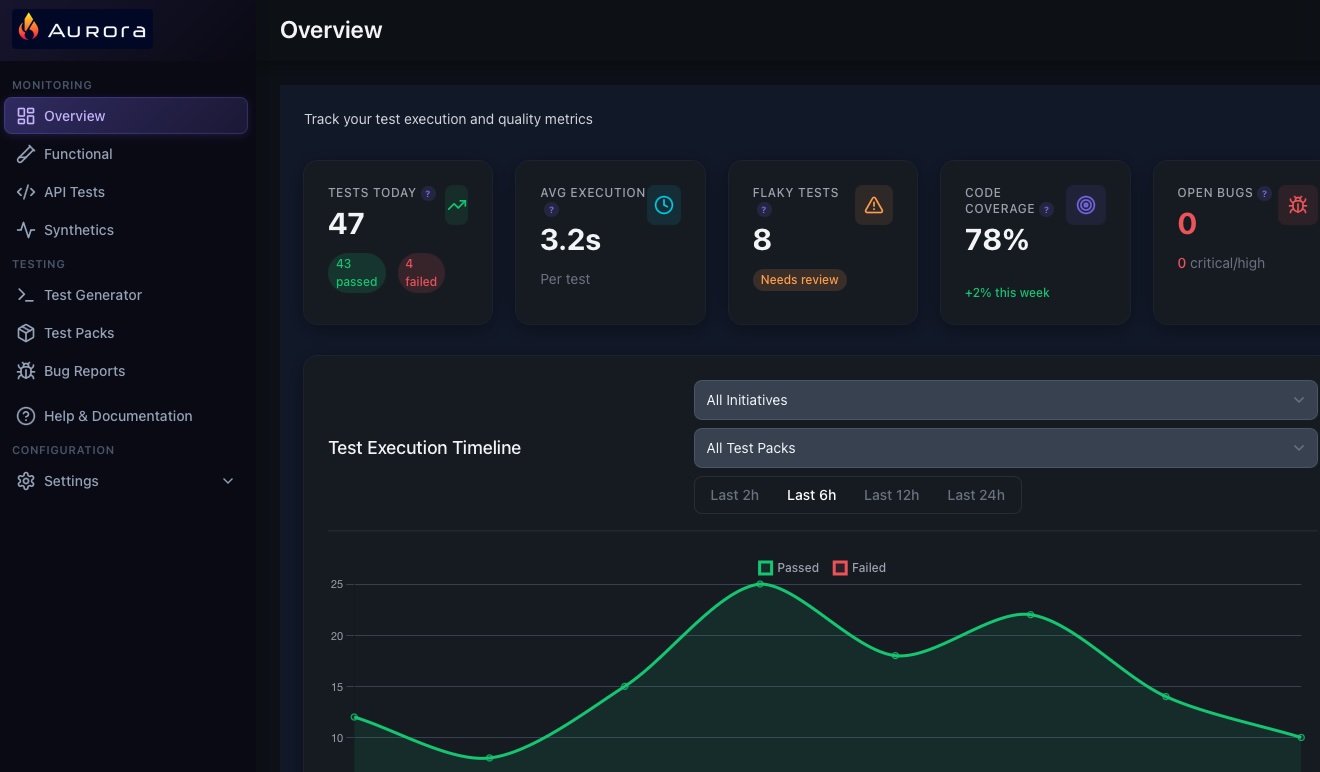
From test generation to synthetic monitoring — everything in a single desktop app.
Pricing
Simple, transparent pricing
All tiers include the full AI pipeline. Limits apply to features, initiatives, test packs, and monitors.
Full pipeline access for individual QA managers. No time limit.
- 3 features
- 3 initiatives
- 5 test packs
- 3 synthetic monitors
- AI test generation
- Edit AI prompts
- Continuum integration
£83/mo equivalent
For QA managers running multiple product areas with active monitoring.
- 15 features
- 20 initiatives
- 25 test packs
- 25 synthetic monitors
- AI test generation
- Edit AI prompts
- Continuum integration
£333/mo equivalent
Unlimited everything. For large portfolios and priority support.
- Unlimited features
- Unlimited initiatives
- Unlimited test packs
- Unlimited synthetic monitors
- Edit AI prompts
- Continuum integration
- Priority support
From £10,000/yr
Custom limits, SLA, dedicated support, and volume licensing.
- Everything in Pro
- Dedicated onboarding
- SLA guarantee
- Volume licensing
Need both Aurora and Continuum? See the Suite bundle — save £1,500/yr →
FAQ
Common questions
Everything you need to know about Aurora.
Support
Get help
Reach out via email and we'll get back to you.
Documentation